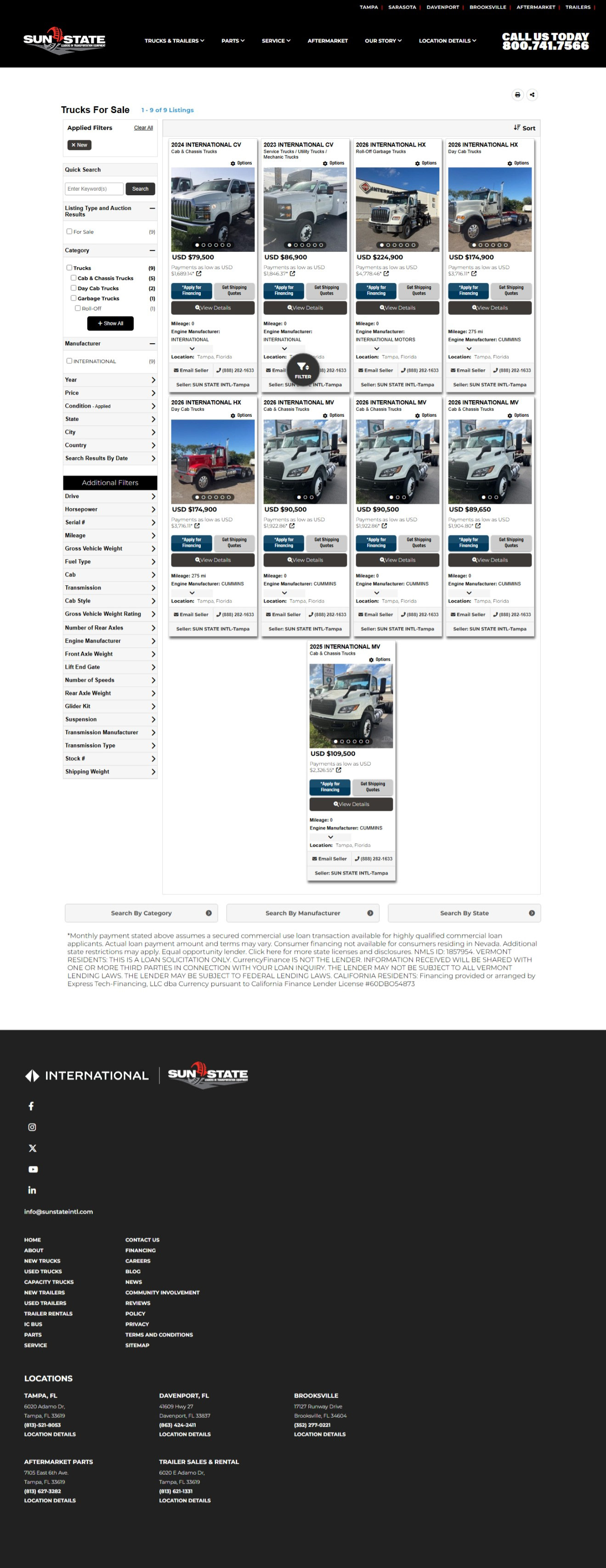
In my role as an interactive designer, the work spans a wide range of tasks, from quick updates and bug fixes to designing and coding full websites. The scope extends beyond the screen as well, including banners, ads, and other design collateral created within each company's established brand guidelines. SEO best practices and GA4 analytics are also leveraged to help brands get noticed and measure results. The projects below highlight the ability to maintain consistent design, build accessible layouts that are easy on the eye, and deliver polished work that caters to many different brands and audiences.
Project: Brand Identity + Landing Page (Training Project)
Role: Designer & Front‑End Developer
Tools: Figma, Dreamweaver, Photoshop, HTML, CSS, JavaScript
Overview: During my first week of training, I was tasked with creating a complete brand concept from scratch, including brand identity, color palette, typography, and layout. I then designed a landing page based on the brand and built it using HTML/CSS, ensuring it was fully responsive across breakpoints. I sourced, retouched, and composited all imagery using Photoshop.
What I focused on:
• Creating a cohesive brand identity and clean, conversion‑focused landing page
• Writing semantic, maintainable HTML and implementing responsive layouts
• Focused on writing semantic, maintainable HTML for clarity and accessibility
• Implementing responsive layouts with media queries
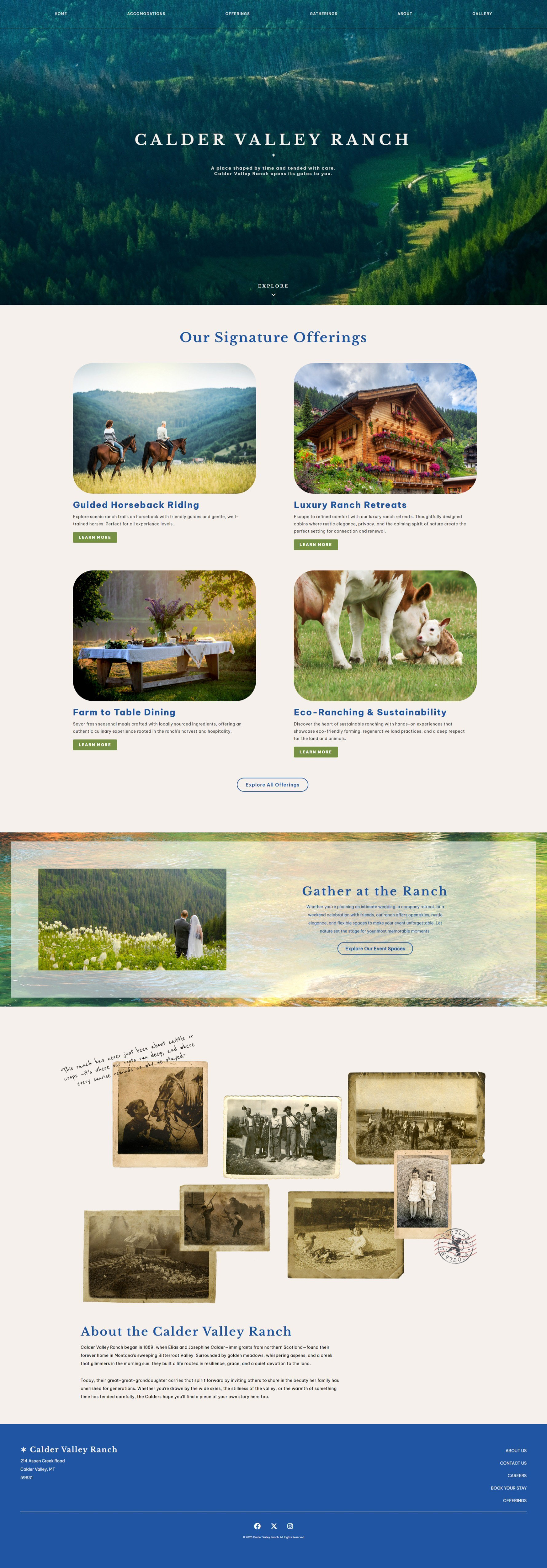

Project: Dobbs Peterbilt
Role: Designer & Front‑End Developer
Tools: Figma, Dreamweaver, Photoshop, HTML, CSS, JavaScript
Dobbs Peterbilt requested a dedicated collision repair page to highlight their repair capabilities, showcase past work, and clearly outline their available services. I designed the page to match their existing brand while improving clarity and visual hierarchy. In addition to the layout and content structure, I built a custom form that allows users to request a repair estimate directly through the site.
What I focused on:
• Creating a clear, service‑focused layout that highlights repair capabilities
• Balancing a heavy emphasis on imagery with the limited amount of text provided by the client
• Establishing strong visual hierarchy to guide users through services, examples, and the estimate form
• Designing and implementing a repair estimate request form
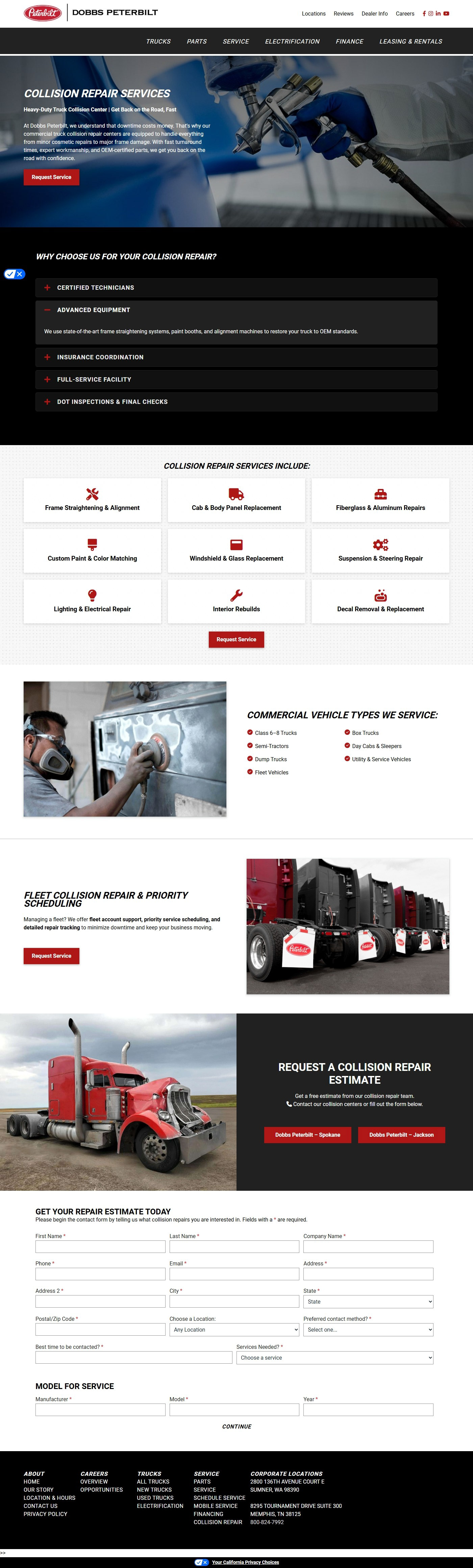

Project: Mill Iron Enterprises
Role: Designer & Front‑End Developer
Tools: Figma, Dreamweaver, Photoshop, HTML, CSS, JavaScript
Mill Iron Enterprises requested three new pages for their website: Consignments, Rentals, and About Us. I designed and built each page to align with their brand while improving clarity, usability, and overall site structure. To support their visibility goals, I implemented SEO‑focused page titles, meta descriptions, and keyword‑driven copy to help increase search performance and click‑through rates. I also added custom imagery, clear call‑to‑action buttons, and user‑friendly forms to support conversions and streamline inquiries.
What I focused on:
• Establishing consistent branding and a clear visual hierarchy aligned with the client’s services and brand identity
• Writing SEO‑optimized copy using targeted keywords to improve search visibility
• Creating effective meta titles and descriptions to boost impressions and clicks
• Adding imagery, buttons, and forms to enhance usability and engagement

Project: Willis & Co. RV
Role: Designer & Front‑End Developer
Tools: Figma, Dreamweaver, Photoshop, HTML, CSS, JavaScript
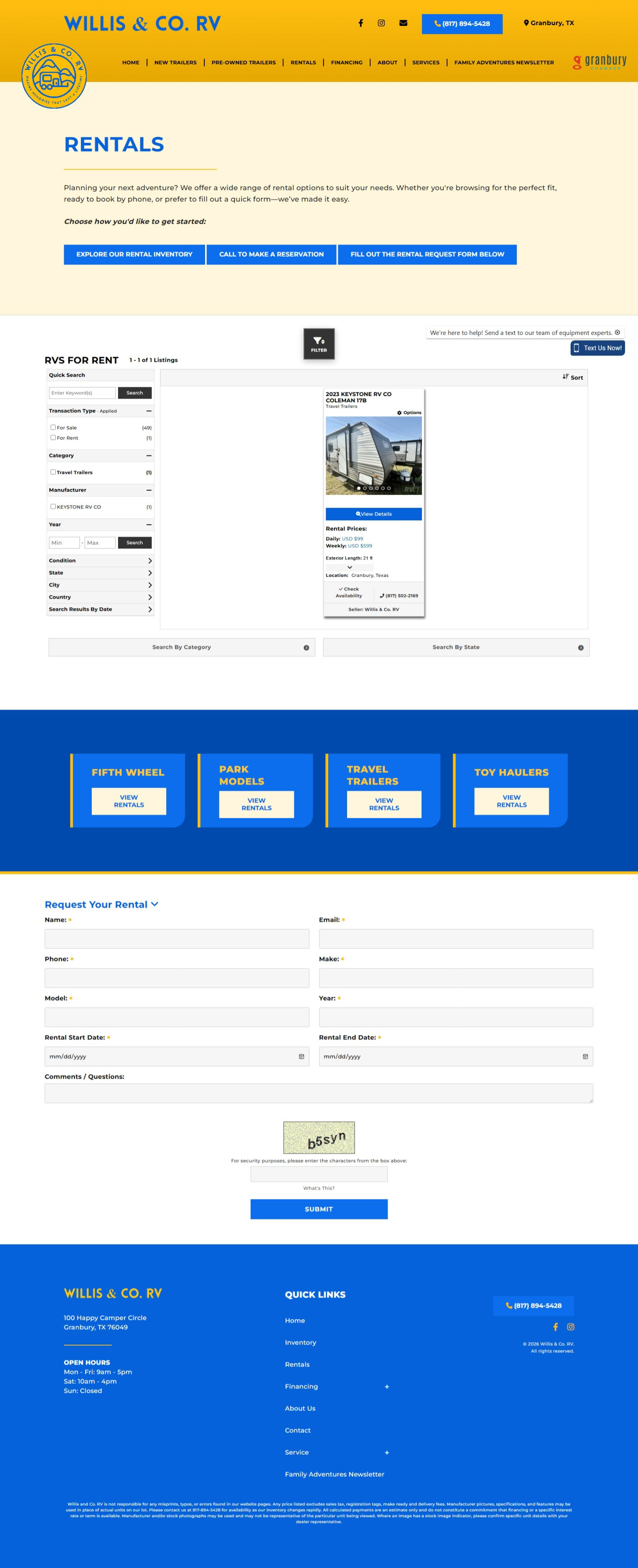
Willis & Co. RV originally had three separate rental pages, which made it difficult for users to understand their options and navigate the rental process. They asked me to consolidate everything into a single, streamlined rental page that clearly presented their inventory, reservation process, and available RV models.
To solve this, I restructured the page around three immediate, high‑clarity user pathways. When users land on the rental page, they’re presented with three primary actions. This approach simplified navigation, reduced friction, and helped users quickly find the information or action they needed.
What I Focused On
• Consolidating three separate rental pages into one cohesive, user‑friendly layout
• Designing clear, immediate user pathways to reduce confusion and improve task completion
• Using anchored auto‑scroll interactions to guide users to key sections (inventory + request form)

Project: Hoglund Bus Company
Role: Front‑End Developer
Tools: Dreamweaver, Photoshop, HTML, CSS, JavaScript
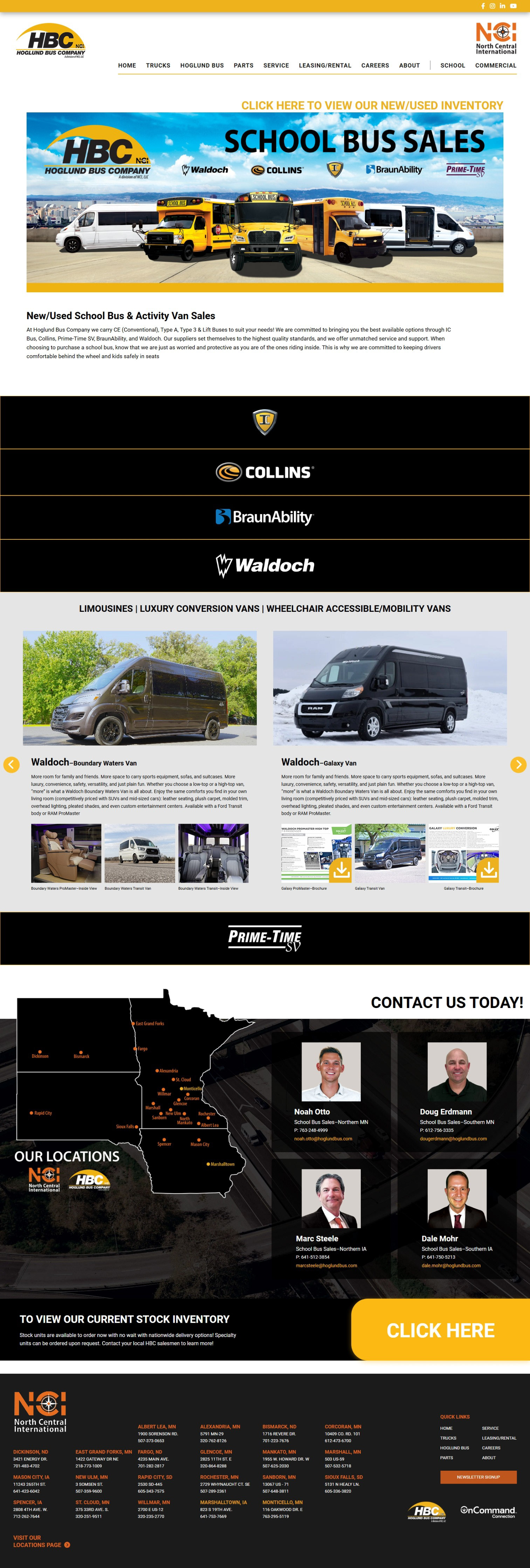
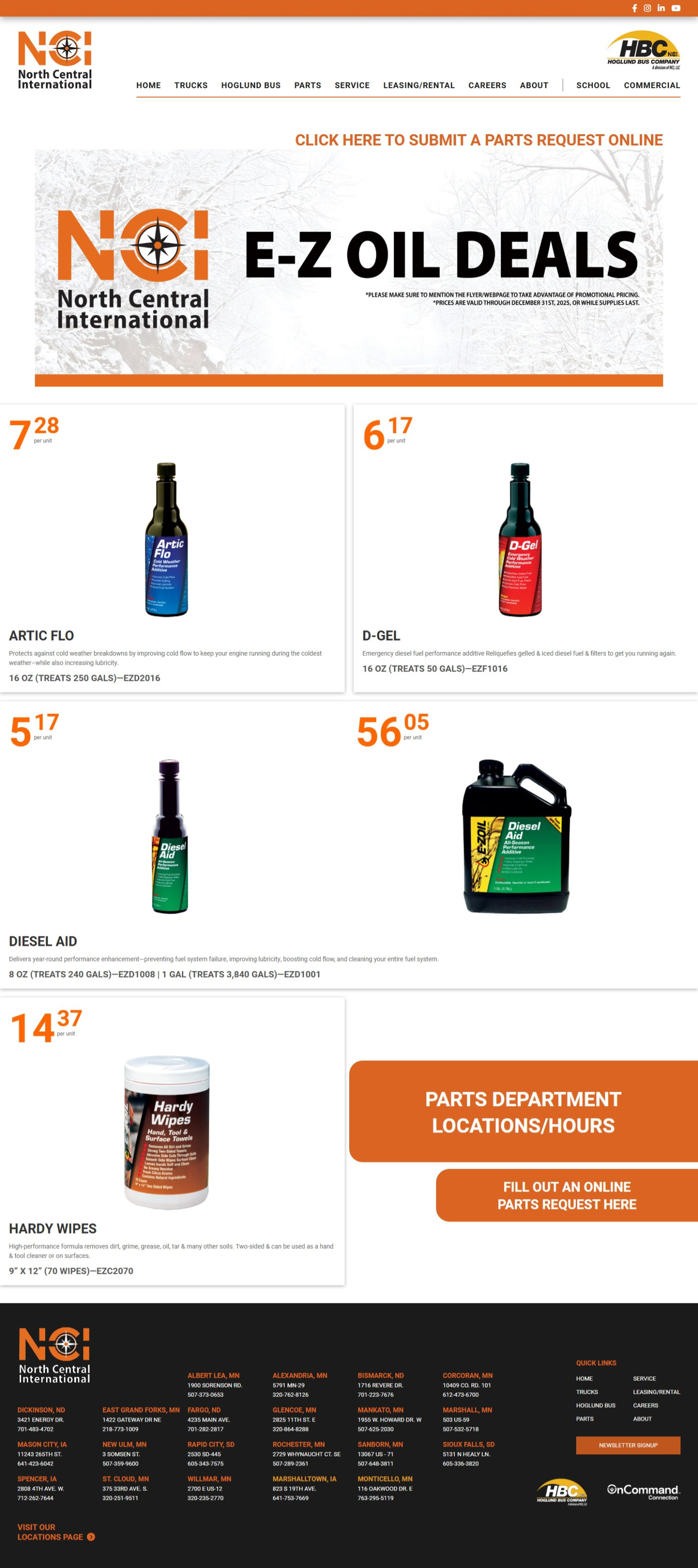
For Hoglund Bus Company, I was responsible for coding a series of highly interactive pages based on detailed mockups provided by their marketing team. While I did not design the layouts, I translated their vision into fully functional, responsive web pages with numerous custom interactions and image‑driven components. The project included building pages for School Buses, Commercial Buses, Video Resources, Parts Contacts & Locations, Four Parts Specials pages, and a Body Shop page.
What I focused on:
• Converting detailed mockups into pixel‑accurate, fully coded pages
• Implementing complex interactive elements across multiple sections
• Creating interactive brand‑logo modules that expand into scrollable model galleries with downloadable documents and images
• Ensuring smooth performance despite heavy imagery and nested interactions
• Creating an interactive territory map with hover‑triggered state changes on desktop and tap‑based functionality on mobile


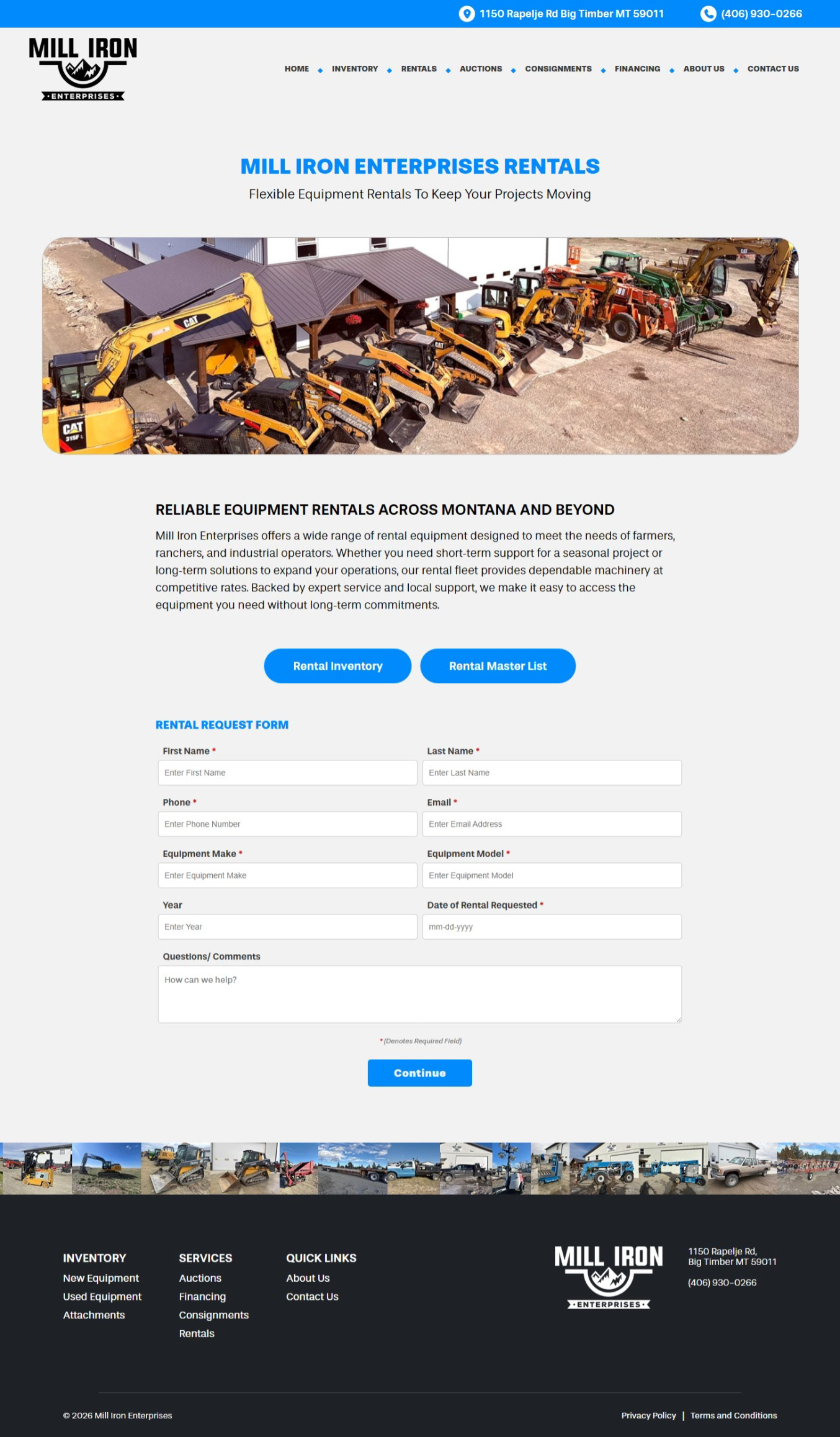
Project: Sun State Trailer/ Sun State International
Role: Front‑End Developer
Tools: Dreamweaver, Photoshop, HTML, CSS, JavaScript
For this project, my company hosted the inventory pages for Sun State Trailer and Sun State International. The client already had an established header and footer on their main website, and it was essential that users felt they were still within the same ecosystem when navigating to the hosted inventory pages. My task was to replicate their existing header and footer exactly, visually and functionally, so the transition between sites felt seamless.
This required rebuilding their navigation structure, styling, and menu interactions in clean, maintainable code. The goal was to ensure that every dropdown, hover state, and mobile menu behavior matched the original site perfectly, preserving brand consistency and user trust.
What I focused on:
• Recreating the client’s header and footer with complete accuracy
• Coding fully functional menu interactions that matched the behavior of the main site
• Ensuring seamless visual and functional continuity so users never felt they left the primary domain